
 MeshLine
customer support automation Automation Guide for operations managers
A practical, operator-focused comparison of NetSuite vs Stripe for customer support automation. This guide exposes where automation breaks, shows QA gates, failure signatures, and step-by-step orchestration fixes—then points to a walkthrough to "See the engine structure."
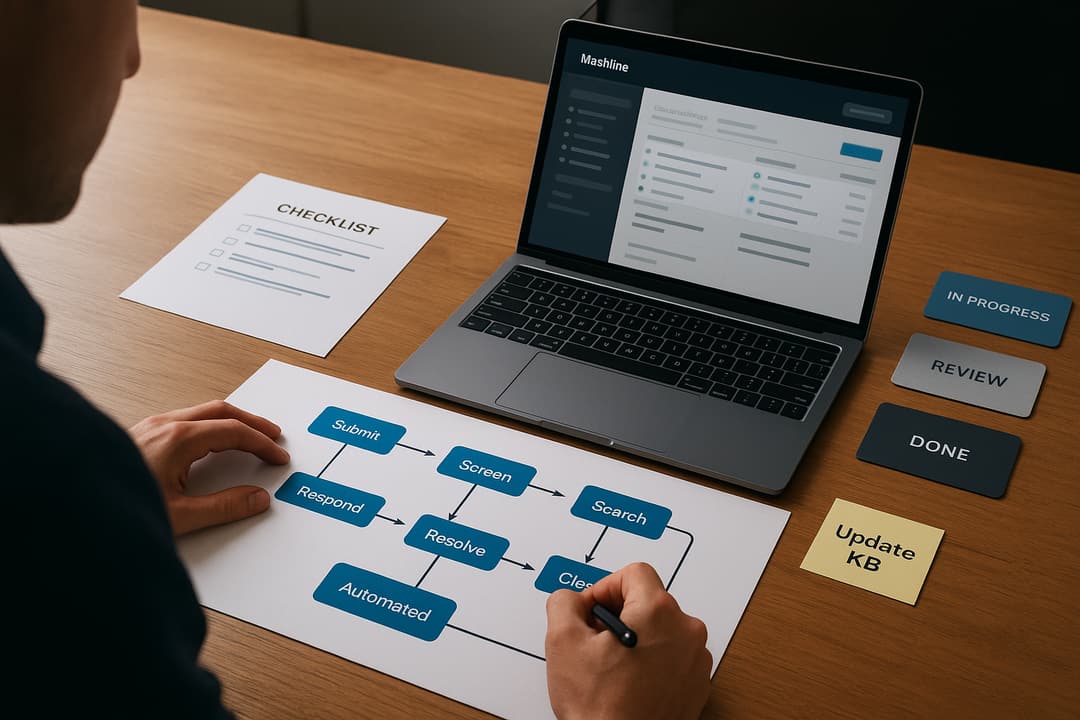
NetSuite vs Stripe for customer support automation: an operator's guide to where execution fails and how to fix it
This article answers one high-intent question: "netsuite vs stripe for customer support automation" — but not as a checklist of features. Instead, it reframes the comparison around execution quality, orchestration, and the operator controls that prevent automation from amplifying mistakes.
Pithy thesis: NetSuite and Stripe both provide durable primitives (records, billing events, hosted flows), but operators lose execution when orchestration is weak: missing idempotency, absent reconciliation ledgers, ill-defined handoffs, and no emergency circuit breaker. This is a decision-stage guide for operations managers who must choose platforms and—crucially—decide how to wire them so automated actions reflect real business rules.
Quick posture: what each platform actually buys you
- NetSuite (ERP/CRM): centralizes contracts, revenue recognition, fulfillment events, and complex account-level entitlements. Use NetSuite where consolidated ledgers and contract lifecycle logic drive downstream accounting. (See NetSuite docs: netsuite.com)
- Stripe (payments & billing): authoritative source for payment intents, invoices, retries, proration, and hosted self-service. Use Stripe for subscription lifecycle events and payment status. (See Stripe Billing: stripe.com)
These systems are complementary; the operator question is not "Which one is better?" but "Which events and semantics will each system own, and how will the orchestration layer enforce correct cross-system decisions?" That reframes the primary keyword netsuite vs stripe for customer support automation into an orchestration and ownership problem rather than a feature checklist.
Search intent decoded: what operators mean when they search "netsuite vs stripe for customer support automation"
When operations managers search netsuite vs stripe for customer support automation, they typically want answers to three operational questions:
- Which system should surface billing and entitlement data to live agents and self-service flows? (UI and latency constraints)
- Where should retries, prorations, refunds, and refunds-with-dispute be executed and audited? (source-of-truth decisions)
- How to keep a single canonical view for the helpdesk, accounting, and billing—without pushing brittle point-to-point automations? (orchestration and reconciliation)
These are orchestration questions. Expect to build adapters, reconciliation checks, and human-in-the-loop gates regardless of vendor choice. The right investment is an operating-layer that enforces SLAs, idempotency, and recovery paths.
Where operators still lose execution: common failure modes
Automation runs faster than human assumptions. The speed exposes small gaps in semantic mappings and escalation logic. Here are the recurring failure modes operations teams face in netsuite stripe comparison projects.
Handoff context loss
Failure pattern: an automated bot marks a ticket as "downgraded for non-payment" and the agent who takes the handoff finds no entitlement snapshot or prior conversation context. Agents duplicate work and escalate unnecessarily.
Why it happens: the integration posts a state change but does not carry the event enrichment (invoice history, retry attempts, dispute flags) to the helpdesk.
Recovery: enrich handoffs with a minimal entitlement snapshot and the correlation ID that ties Stripe invoice events to NetSuite contract rows and the orchestration ledger.
Immediate-action on transient events
Failure pattern: automation treats invoice.payment_failed as an irrevocable signal and suspends access immediately. Stripe succeeds on retry later; customers lose access and churn.
Why it happens: teams conflate event presence with finality and ignore provider semantics (retry windows, dispute resolution windows).
Recovery: encode provider-aware backoffs—wait for the full retry cadence or implement a safety window (48–72 hours) before irreversible actions.
Silent data drift and schema mismatch
Failure pattern: fields change semantics (Stripe introduces proration or NetSuite renames contract states) and automations keep executing older assumptions.
Why it happens: integrations rely on schema-only mapping without capturing event semantics and without daily reconciliation.
Recovery: maintain a reconciliation ledger and daily shadow diffs. Treat field mappings as controlled artifacts and add migration tests when vendors change schemas.
Automation amplification during incidents (no emergency stop)
Failure pattern: during a mass-billing incident, automations retry, issue refunds, or post account changes repeatedly, worsening customer trust and operational load.
Why it happens: no single emergency circuit breaker and no operator playbook to convert outbound actions to manual queues during incidents.
Recovery: implement a single stop-action toggle in the orchestrator and a monthly game-day that tests halting writes and projecting compensating actions.
AI/assist hallucination and claim mismatches
Failure pattern: assistants draft agent-facing assertions like "refund issued" or "cancellation completed" without issuing the corresponding API call to Stripe or NetSuite. Ledgers diverge; auditors flag mismatched assertions.
Why it happens: the UI surfaces an assistant's suggestion as fact without requiring verification from the authoritative system.
Recovery: treat assistant outputs as proposals. Only mark a ledger row "applied" after a successful provider API confirmation and write that confirmation to the reconciliation ledger.
Handoff loops that create manual toil (detailed example)
- Symptom: tickets reopen automatically on property sync and agents close them manually; automation detects the property change and reopens the ticket, causing a loop.
- Root cause: state transitions are not locked or modeled as a finite-state machine with transition guards.
- Fix: model a state-transition graph with explicit allowed transitions, add versioned state stamps (state_version), and enforce optimistic concurrency checks before automation performs state changes.
A concrete scenario operators will recognize: "Trial downgrade + payment retry loop"
This scenario illustrates where netsuite stripe comparison breaks at execution.
Systems:
- Checkout -> creates Stripe subscription (stripe.com)
- Stripe Billing -> emits webhooks (subscription.created, invoice.payment_failed, invoice.payment_succeeded) (docs: stripe.com docs)
- Orchestration layer (Meshline-style) -> ingests webhooks, enriches with NetSuite entitlement data, posts events to Zendesk, and writes to a reconciliation ledger
- NetSuite -> stores contract status, entitlements, and accounting rows (netsuite.com)
Minimum viable mapping (stable IDs):
- Stripe.subscription.id -> NetSuite.customFields.stripe_subscription_id
- Stripe.customer.id -> NetSuite.customer.internal_id
- Stripe.invoice.id -> NetSuite.invoice_reference
- Event.timestamp -> orchestration.received_at
- Event.attempt_count -> orchestration.retry_count
Timing and SLA rules (practical):
- Webhook receipt to orchestrator enqueue: <= 2s for measurement and alerting; if breached, raise a latency alert.
- Enrichment read (NetSuite lookup): <= 3s for synchronous flows. If the lookup exceeds that, switch to async decision and show status=Pending in the agent UI.
- Safety window before irreversible actions (downgrade/cancel): 48–72 hours aligned to Stripe retry cadence, unless explicitly escalated by a human.
Failure sequence:
- Stripe emits invoice.payment_failed. The orchestrator receives it and immediately writes NetSuite.contract.status = "suspended" and triggers a Zendesk downgrade automation.
- Stripe retries and charges the card successfully 24 hours later. Subscription is active again.
- NetSuite remains "suspended"; ticket history shows a closed ticket stating "downgraded for non-payment." Agent has to manually reconcile.
Lesson: orchestration must be domain-aware. Stripe's retry semantics are not equivalent to NetSuite's contract lifecycle.
Orchestration tradeoffs — why a lightweight adapter fails
A simple webhook-to-webhook connector fails fast when:
- Idempotency is not enforced: events are duplicated, causing duplicate refunds or duplicate state changes.
- There is no reconciliation ledger: no single source of truth for why a decision was made.
- No emergency stop: during incidents, automated actions multiply downstream problems.
Event semantics vs schema mapping
Mapping JSON fields is insufficient. Capture the semantics of events: what does invoice.payment_failed mean in this product? Is it a transient failure or a business final state? Implement event contracts that encode semantics and consumer expectations.
Escalation gates and human-in-the-loop criteria
Operators must define the exact conditions that cause automation to pause and require human confirmation. Examples:
- Refunds > $X require manager approval.
- Cancellations for accounts with tenure > Y months require a CX review.
- Any case with an open dispute or fraud flag must route to a manual queue.
Encode these as blocking gates in the orchestration engine so that UI actions and automated decisions share the same decision logic.
Detection, QA gates, and deterministic recovery paths
Operators need deterministic gates and measurable detection signals.
- Shadow run QA gate: run the orchestrator in observe-only for 7 days against production traffic and generate daily reconciliation deltas. If >1% of cases require manual correction, pause rollout and fix semantic mismatches.
- Alert signals to watch:
- Spike in reconciliation backlog (daily growth > threshold)
- High rate of contradictory events (invoice.payment_failed followed by invoice.payment_succeeded in minutes)
- Increase in manual overrides
- Rising MTTR for billing-related tickets
- Recovery path patterns:
- Compensating transactions: when automation mis-applies an action, issue a compensating API call (e.g., restore-entitlement) that is itself idempotent and audited.
- Runbook entry: every compensating job must be a documented runbook step and exposed to Tier 2 agents via the agent UI.
QA gate details (practical)
- Shadow-run length: 7 days minimum, covering weekday and weekend cadence. Produce daily reconciliation deltas and a weekly delta summary.
- Acceptance threshold: <1% nondeterministic or manually-corrected cases.
- Rollout strategy: Canary -> 10% -> 50% -> 100% with reconciliation checks at each step.
The orchestration architecture you actually need
High-level components:
- Ingest: stable webhook receivers with replay and signature validation
- Deduper: idempotency checks and event correlation
- Enricher: fast NetSuite and Stripe lookups, with a fallback cache and async paths
- Decision engine: business-aware rules, gating logic, and human approval flows
- Action executor: provider-aware API callers with idempotency keys
- Reconciliation ledger: append-only audit rows (event_id, decision, actor, prior_state, post_state, correlation_id, applied_at)
- Agent UI: handoff display that includes entitlement snapshot, event timeline, and link to recon ledger rows
- Circuit breaker: single stop-action mechanism that halts outbound writes and requeues decisions for manual triage
This architecture is shown in the orchestration diagram: the orchestration layer mediates Stripe and NetSuite and surfaces a single, auditable decision graph to agents.
(See Meshline Engine Structure for a technical walkthrough.)
Real implementation actions (exact next steps for an operations manager)
- Shadow run: deploy your orchestrator in observe-only for 7 days. Produce daily reconciliation deltas between Stripe, NetSuite, and your helpdesk.
- Codify blocking gates: define rules for refunds, cancellations, and high-tenure customers and wire them as blocking gates.
- Build an append-only reconciliation ledger: log (event, decision, actor, prior_state, post_state, correlation_id) for each automated decision.
- Implement provider-aware backoffs: respect Stripe's retry cadence and don't downgrade until the safety window expires unless a human overrides.
- Add an emergency stop: provide a single UI control to halt all outbound automations; convert future actions to a manual queue and test monthly.
- Monitor the right KPIs: reconciliation backlog, % automated actions with remediation, MTTR for corrections, and false-positive automation rate.
If you want help mapping these steps to your stack—see the engine structure and request a walkthrough to evaluate the ledger model, gating rules, and agent handoff design.
When to pick NetSuite-first vs Stripe-first (and how to avoid wrong ownership)
- Pick Stripe-first when the workflow is payment- or subscription-centric (billing, dunning, hosted portal flows). Treat Stripe as the authoritative payments source and replicate reconciled events into NetSuite for accounting.
- Pick NetSuite-first when contracts, complex entitlement tiers, and revenue recognition rules drive fulfillment and downstream accounting. Use NetSuite as the source of truth for entitlement state and ingest Stripe as a billing stream.
In both cases: do not treat either platform as the final automator for cross-system decisions. Invest in an orchestration layer to own cross-system semantics, reconciliation, and emergency handling.
Examples of vendor and operator resources to read before automating
- Stripe Billing documentation and webhook semantics to understand retry windows and hosted portal flows: stripe.com docs
- NetSuite CRM and contract lifecycle documentation for mapping entitlement fields: netsuite.com
- Twilio orchestration patterns for AI-to-human handoff inspiration: twilio.com
- Zendesk best practices for surfacing automation state in the agent UI: support.zendesk.com
Closing decision checklist for the consideration-stage operator
- Do you accept nightly reconciliation or do you need near-real-time single-source-of-truth? If near-real-time is required, invest in synchronous enrichment paths.
- Do your rules respect provider semantics (Stripe retry cadence, NetSuite holds)? If not, add guardrails before rollout.
- Do you have an append-only reconciliation ledger and a tested emergency stop? If not, prioritize them now.
Want a hands-on mapping of your stack and to "See the engine structure"—request a walkthrough and we’ll model the reconciliation ledger, gating logic, and agent handoff for your team.
Related Meshline resources (bookmark these)
- Meshline Support Automation Playbook — patterns for triage and ticket enrichment.
- Meshline Orchestration Patterns — mapping, idempotency, and reconciliation ledger patterns.
- Meshline QA Gates for Automations — shadow runs, gating rules, and rollout templates.
- Meshline Engine Structure — technical walkthrough and demo: See the engine structure.
Further reading and outreach opportunity
This piece references vendor docs and operator analyses (Stripe, NetSuite, Zendesk, Twilio). Editorial backlink opportunity: reach out to vendor engineering blogs or customer success case studies (Stripe, NetSuite) for partner quotes and a joint operator playbook. That outreach note is included below in the QA checklist.
If you need a concrete audit of your current automations or a walkthrough of the orchestration ledger and gating model, select "See the engine structure" and we will model it against your Stripe and NetSuite event stream.
Implementation Evidence and Reliability Checks
Use these references to validate the customer support automation implementation model, reliability assumptions, integration controls, and incident-response expectations before rollout.
Where customer support automation usually breaks in practice
The useful test for netsuite vs stripe for customer support automation is not whether the team can draw a clean workflow. It is whether the workflow still behaves when a record arrives late, a required field is missing, or two systems disagree about who owns the next action.
Start by writing down the first signal, the field that proves it is trustworthy, the person who can override the route, and the timestamp that shows whether the handoff happened on time. Those details make customer support automation automation reviewable instead of merely automated.
For buyers comparing netsuite vs stripe for customer support automation, the decision should center on customer support automation automation, customer support automation reporting, customer support automation exception handling, customer support automation ownership, and whether the team can inspect the audit trail without asking engineering to reconstruct the incident. netsuite stripe comparison belongs in the article only where it clarifies a real operator decision, not as a stray keyword. customer support automation platform comparison belongs in the article only where it clarifies a real operator decision, not as a stray keyword. operations managers customer support automation tools belongs in the article only where it clarifies a real operator decision, not as a stray keyword.
When customer support automation needs an operating layer
Meshline fits when customer support automation is no longer a single automation but a recurring operational commitment. The warning sign is usually simple: people trust the tool when everything is normal, then leave Slack messages, spreadsheet notes, and manual fixes behind as soon as the edge case appears.
For customer support automation Automation Guide for operations managers, define the authoritative data, routing rule, review checkpoint, retry policy, and evidence trail before launch. This lets the operating team adjust exceptions without turning each failure into an engineering investigation.
The decision behind customer support automation Automation Guide for operations managers is whether a connector is enough or the workflow needs a maintained execution layer. When revenue, customer handoffs, reporting, billing, or CRM ownership are involved, scope auditability and recovery alongside launch speed.
- For customer support automation Automation Guide for operations managers, document which system wins when two records disagree.
- For customer support automation Automation Guide for operations managers, name who can pause or override execution without creating a hidden side process.
- For customer support automation Automation Guide for operations managers, specify what evidence remains after a failed handoff is recovered.